Coming Soon

The #1 Differentiator

Overlay Mode: your desktop companion

Vox Bar shrinks down to a single line of text — a compact floating bar that sits on top of any app. Dictate, copy, paste. It blends into your desktop like it was always there.

single-line bar
📌 position memory
🔍 adjustable opacity

Simple as 1-2-3

How Overlay Mode works

1

Activate Overlay

Click the Overlay Mode button. Vox Bar shrinks from a full window down to a single-line floating bar — a compact strip that sits on top of everything.

2

Dictate naturally

Speak while you work. Your words appear in the overlay bar in real-time — a discreet line of text you can glance at without breaking focus.

3

Copy & paste

Hit copy, paste into any app — Word, Chrome, Slack, VS Code, anything. Or expand the bar to review and edit your text first.

The magic: Overlay Mode captures everything you say behind the scenes, even though all you see is a single line. One click expands it back to the full window — with all your text ready to edit, copy, or export.

Seamless Blending

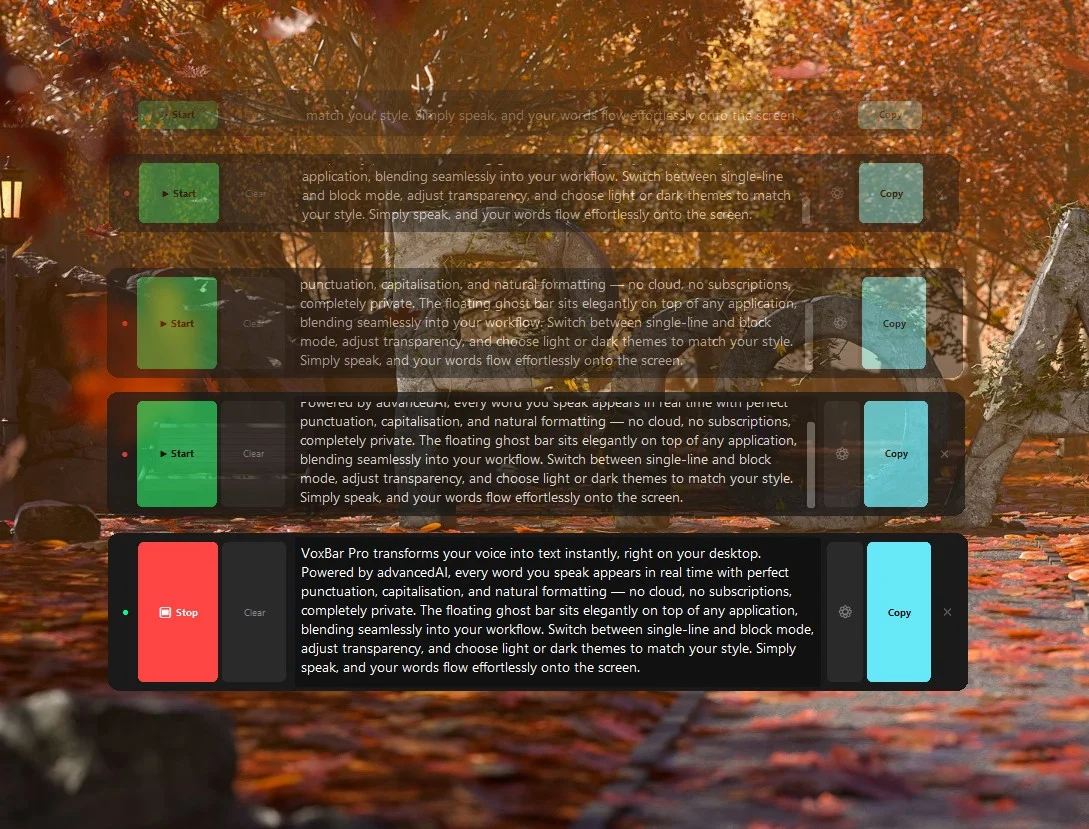
Dial in your transparency

Slide from invisible to solid — Overlay Mode adapts to your workflow. Light backgrounds, dark backgrounds, everything in between.
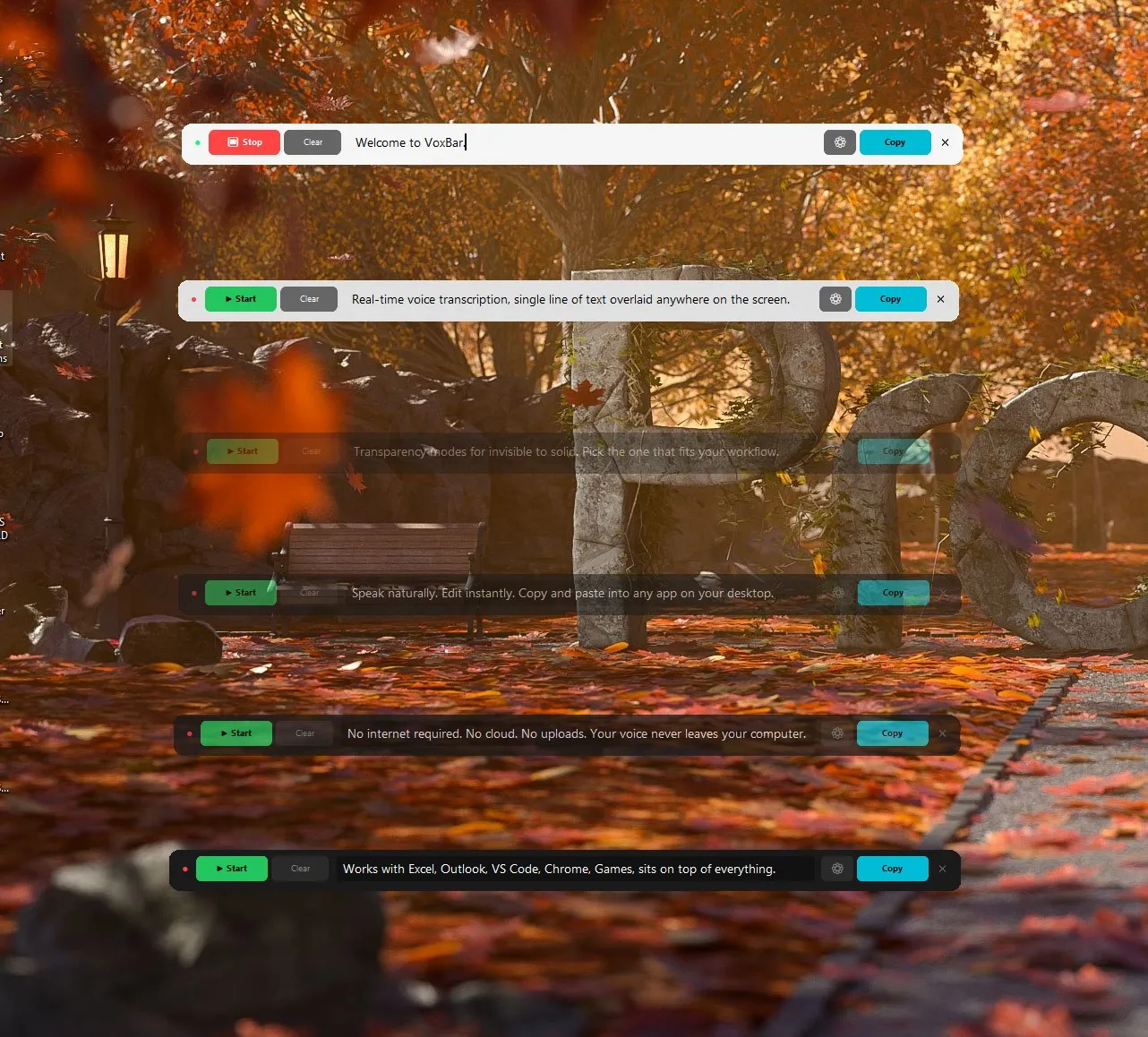
Overlay Bar showing all transparency modes — Crystal, Frost, Glass, Haze, Smoke, and Solid — cascading over a scenic background
☀️ Crystal
🌤 Frost
🌫 Glass
💨 Haze
🌑 Smoke
⬛ Solid
Fully Adjustable

Block Mode
Adjustable Size

Expand the overlay bar into a full block text area for longer dictation. Resize from a thin single-line to a scrollable multi-line block. Adjust opacity from fully solid to completely transparent — blending into any wallpaper or application.

Adjustable Opacity
Resizable Height
Light & Dark Themes
Scrollable Text Area
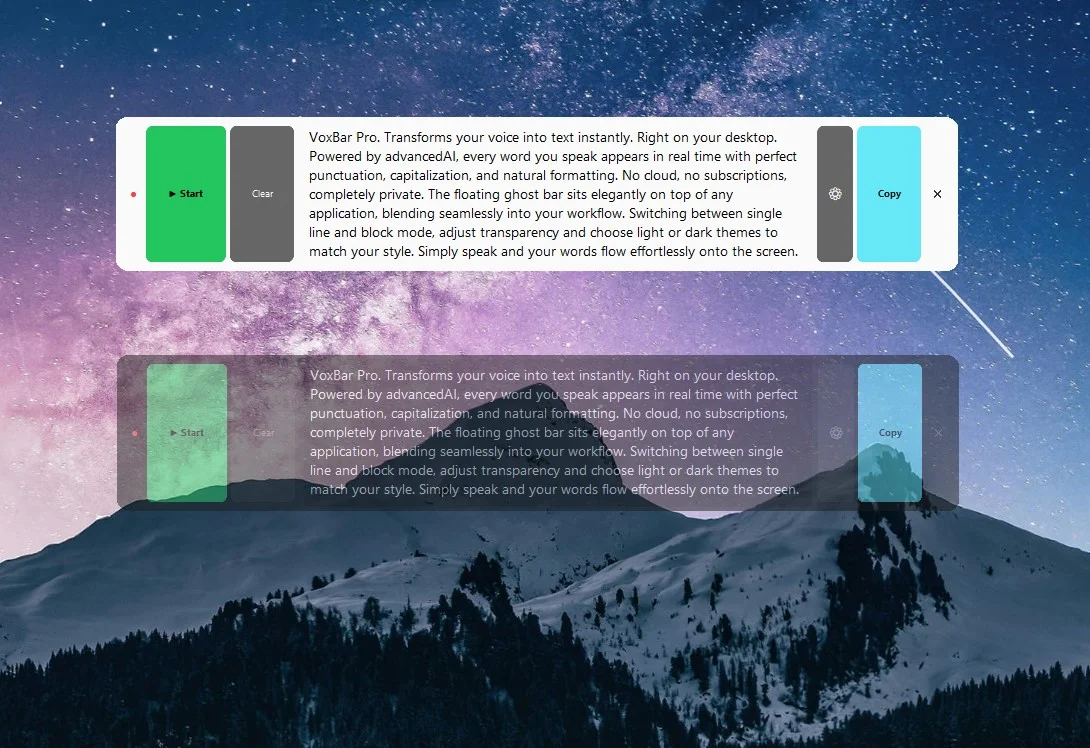
VoxBar Pro block mode — light solid and glass transparent themes over a galaxy mountain wallpaper
🏔️

Glass Transparency on Any Wallpaper

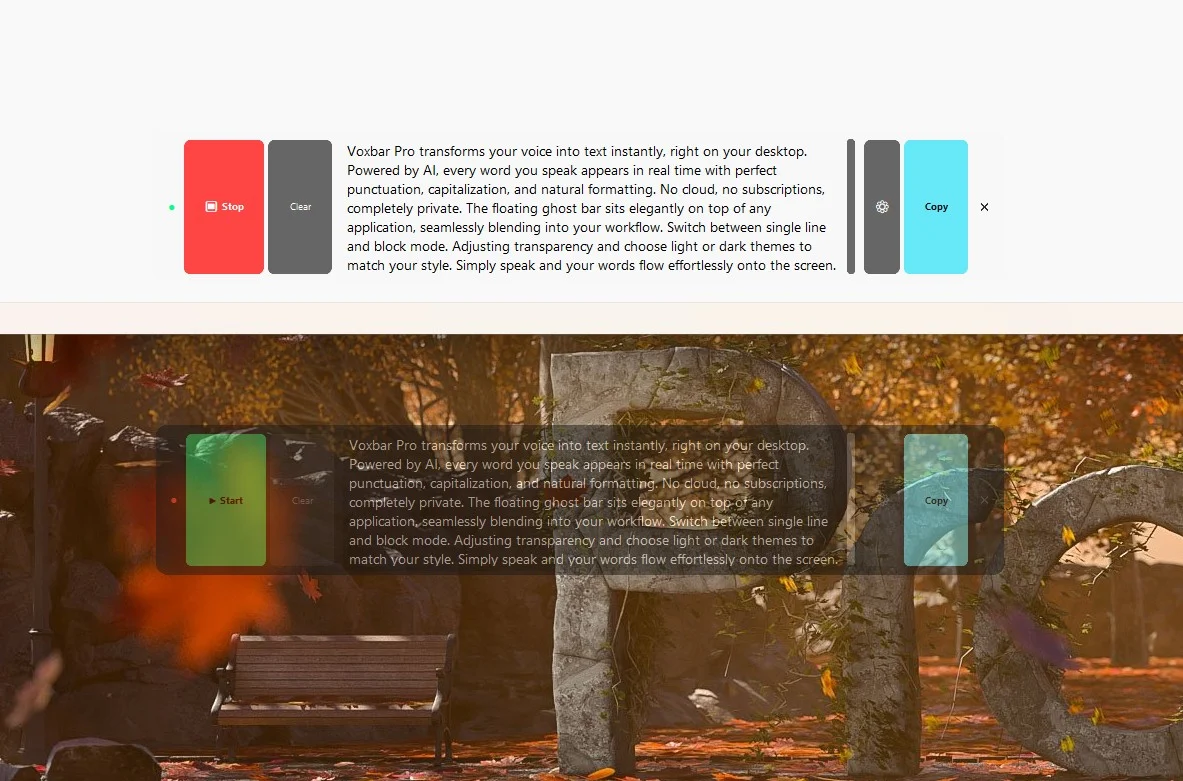
The overlay bar blends into your desktop background with adjustable opacity — from fully solid to near-invisible. Light and dark themes side by side.

VoxBar Pro block mode — light theme solid on white background vs transparent over autumn park wallpaper
☀️

Light & Transparent Modes

Switch between a solid light theme for bright environments and a transparent overlay that lets the desktop show through — perfect for any setting.

VoxBar Pro at five different sizes cascading over an autumn wallpaper — from single-line to full block mode
🍂

Any Size — Seamless Blending

From a thin single-line ticker to a full multi-line block — every size blends into the desktop with adjustable transparency. Drag the edge to resize continuously.

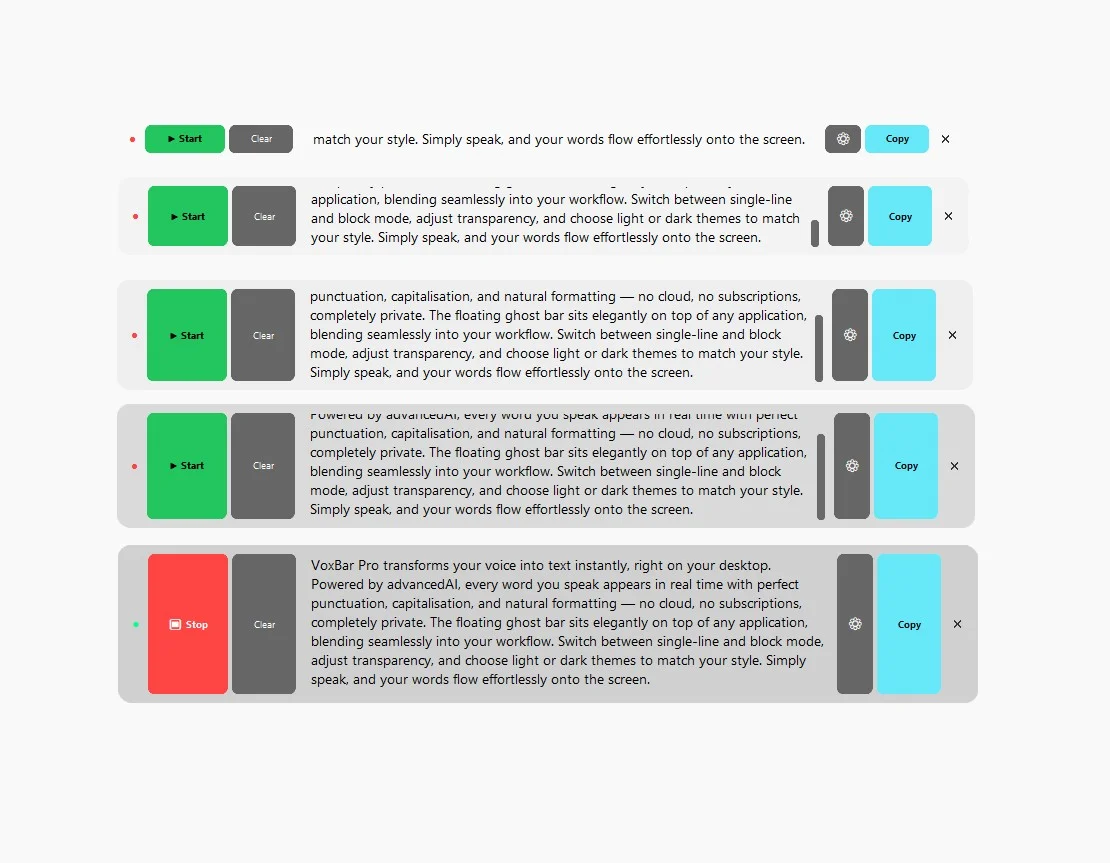
VoxBar Pro at five different sizes on a clean light background — showing the full range of adjustable sizing
📐

Single-Line to Full Block

Continuously adjustable. One line for quick notes, a full scrollable block for paragraphs — drag the edge to resize smoothly, no fixed steps.

🌗

25% to 100% Opacity

Dial in exactly how visible you want the bar. Fully solid for bright rooms, near-invisible for stealth.

📐

Single-Line ↔ Block Mode

One line for quick notes, full block for paragraphs. Switch on the fly with a single click.

🎭

Light, Dark & Glass Themes

Three themes that adapt to any background. Dark for code editors, light for documents, glass for wallpapers.

See It In Action

Works alongside every app

Overlay Mode floats on top of your workspace. Dictate, glance at the bar, copy, paste — done.

See how well I blend in. Can you spot me? 👀
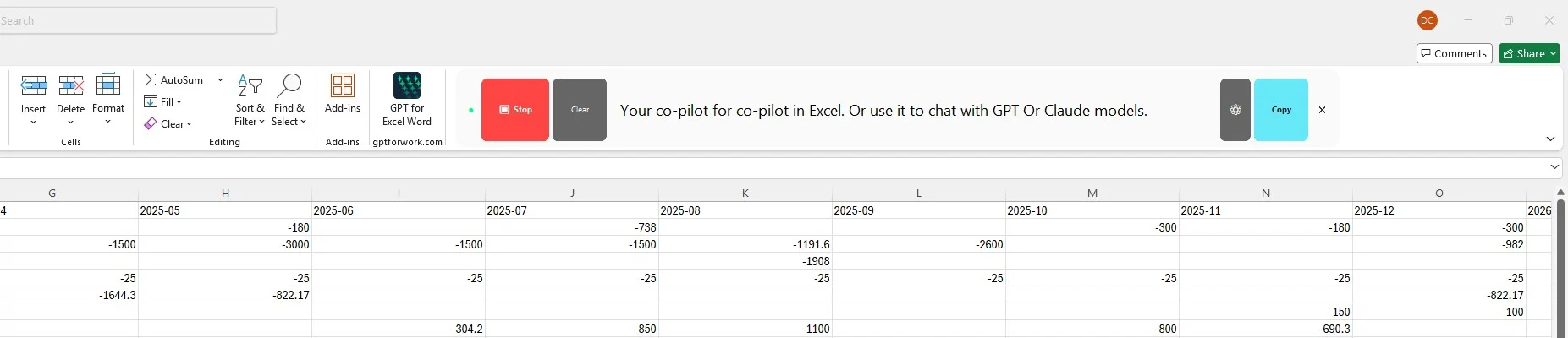
Overlay Bar floating inside Microsoft Excel — dictate directly into your spreadsheets
📊

Microsoft Excel

Sits right in the ribbon. Dictate data, notes, and formulas without ever touching the keyboard.

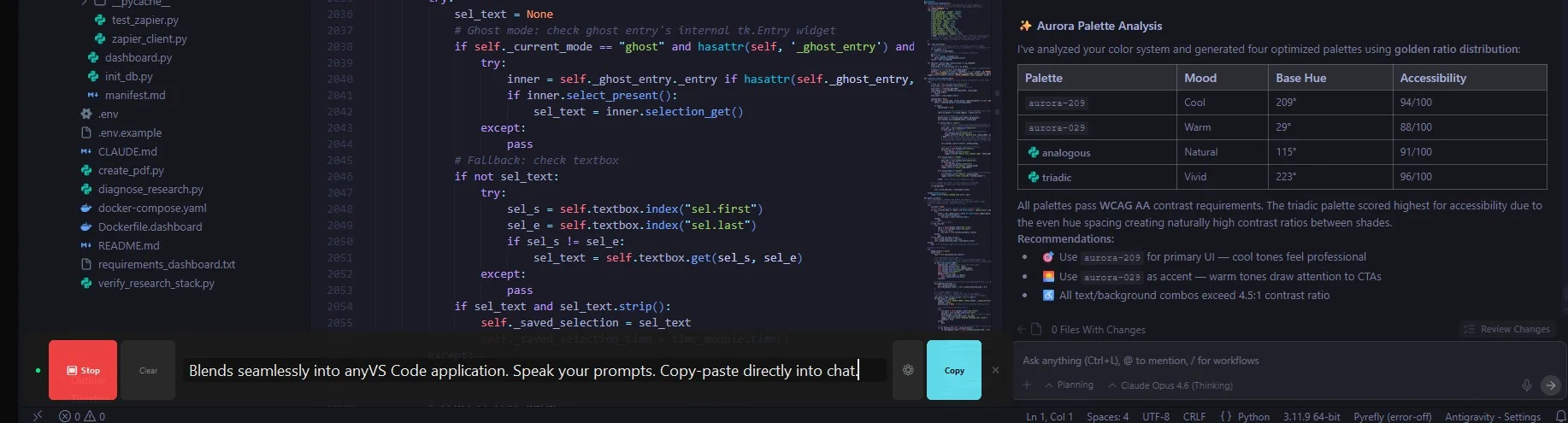
Overlay Bar floating inside VS Code — speak your code comments and prompts
💻

VS Code

Blends seamlessly into your IDE. Speak your prompts and copy directly into chat or code files.

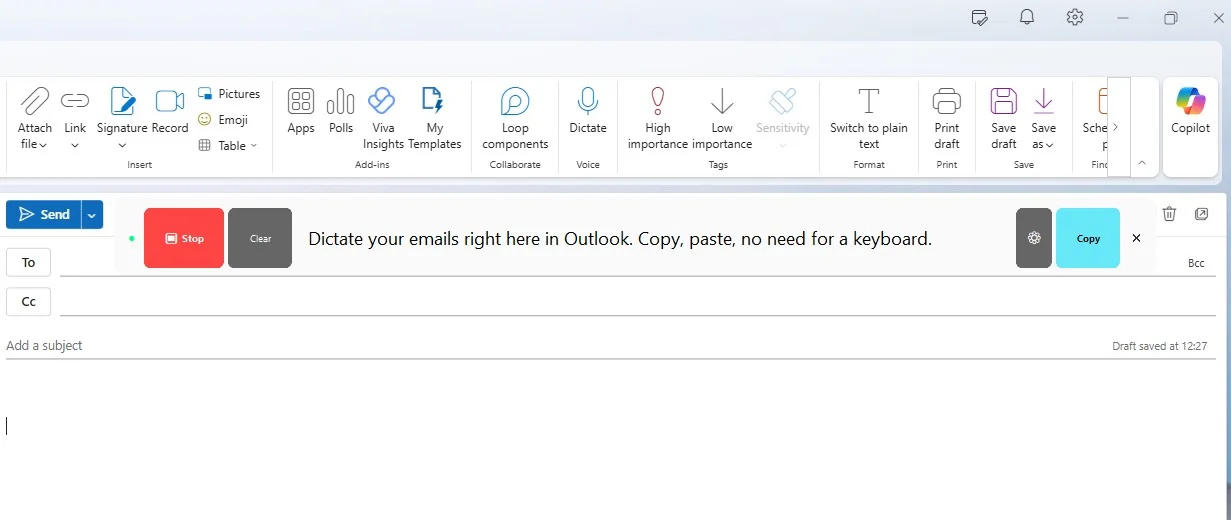
Overlay Bar floating inside Microsoft Outlook — dictate emails in real time
📧

Microsoft Outlook

Dictate your emails in real time. Copy, paste. No need for a keyboard.

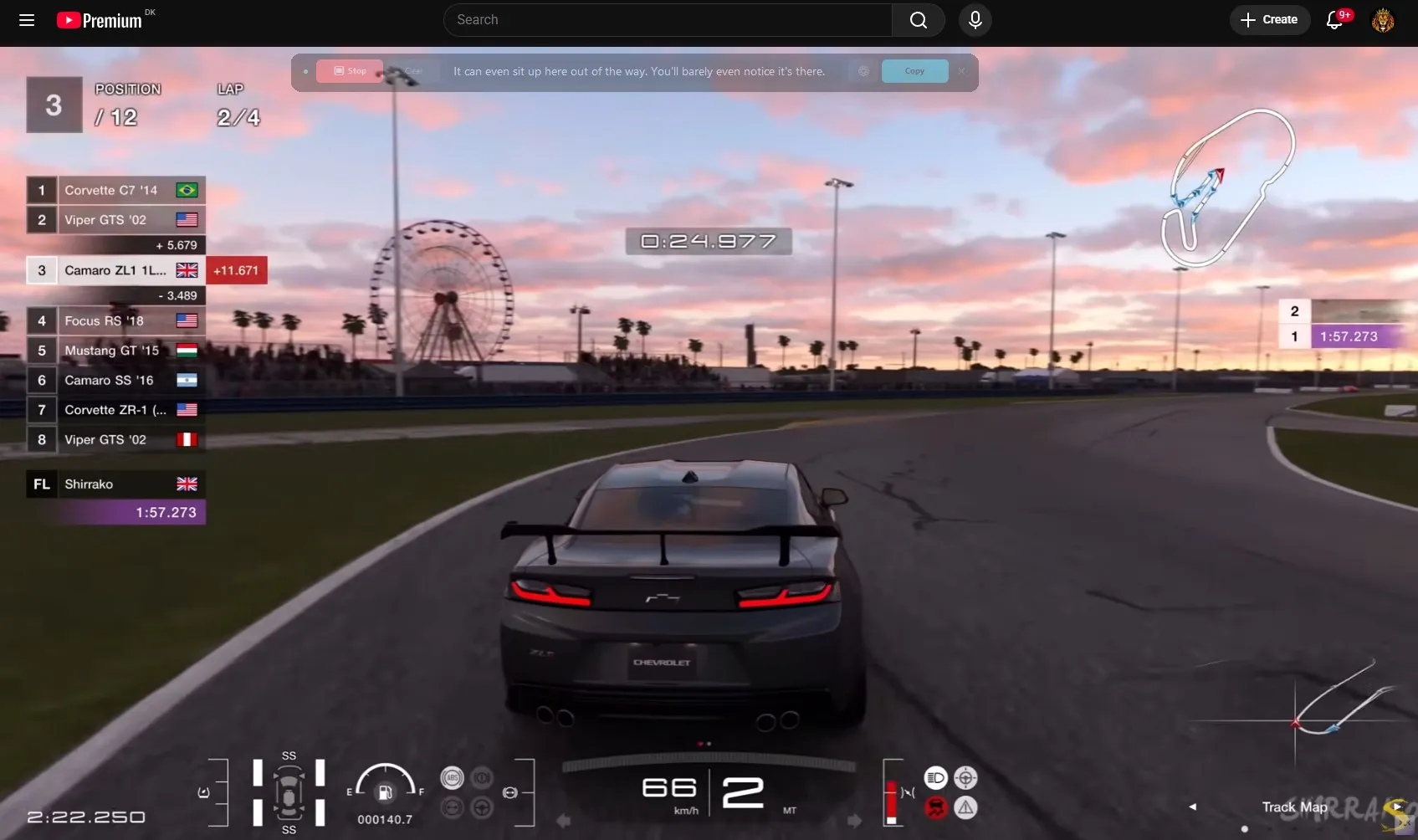
Overlay Bar in Glass mode floating over a game — transparent overlay that doesn't interrupt gameplay
🎮

Gaming

Glass mode sits on top of your game, nearly invisible. You'll barely notice it's there.

One bar. Every app. Always there, never in the way.

🤔 What makes Overlay Mode different?

Most transcription tools give you a big, clunky window that fights for screen space. Overlay Mode takes a completely different approach:

  • Single-line or full paragraph — Starts as a slim bar no bigger than a browser bookmark bar. Need more room? Drag the edge to expand into a full scrollable text area — your words appear live as you speak.
  • Position memory — Place the overlay bar wherever you want. Expand back to the full window, move it around, then collapse back to Overlay Mode — it snaps right back to its remembered position.
  • Adjustable everything — Slide opacity from fully transparent to solid. Resize height from one line to a full block. Switch between light, dark, and glass themes — it adapts to any desktop.
  • Live text, right in front of you — In block mode, your transcription streams in real time as a visible paragraph. No need to expand afterwards — it's all right there as you speak, ready to copy.

Bottom line: Overlay Mode turns Vox Bar into a desktop companion — always there, never in the way. A single-line ticker for quick capture, or a live paragraph that builds in front of you as you speak. Your choice.

Try Overlay

Your always-on desktop companion

A single-line bar that sits alongside everything you do. Dictate, copy, paste — no extra windows, no extra steps, no extra cost.

Coming Soon $59 $29 Early Bird
Overlay Mode included
Works in any app
14-day satisfaction guarantee