Get VoxBar · $29
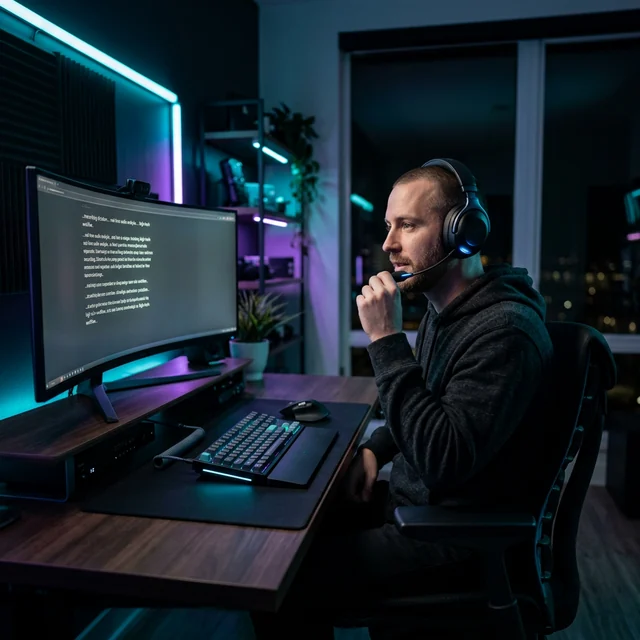
Someone dictating at their desk with VoxBar
NOW ON ANY WINDOWS PC

Private Real-Time
Voice Transcription.
Any PC. No Cloud.

Real-time speech-to-text that runs entirely on your own computer.
Five engines, 28 languages and English speaker labels, now on the processor of any PC.
No subscription, no in-app purchases, and it never phones home. Yours forever.

$29 · one-time · Windows 10 & 11 · 14-day refund

🍎 Mac version next — get an email when it's ready →
Graphics Card None needed
Speech Engines 5 in one app
Languages 28 see the list
Speaker Labels Up to 8 voices · English
Internet Connections 0 · fully offline

Say it. See it.
Copy & paste it.

Talk, and your words appear on screen as you speak. Keep VoxBar as a slim bar, drag it to any size, or open it full screen, then press Copy and paste into an email, a document or a chat: always there, never in the way.

▶ Watch: the real VoxBar in action (22 s)

The app on screen is the real VoxBar, recorded on a Windows PC. The people are AI-generated. Turn the sound on for the voice.

✓ Tested on an everyday Intel Core i5 laptop with 8 GB of memory: first words in 1.3 seconds, no graphics card needed. See the results →

🖤 Disappears into your screen

Dark or light theme, and a see-through slider. On a dark screen the bar all but vanishes: just words appearing out of thin air.

📌 Drag, resize, expand

A slim single line, a three-line block, or a full window for editing. Put it anywhere; it remembers where you left it.

🎤 Voice commands

VoxBar adds punctuation and capitals by itself. Say "comma", "full stop", "new paragraph" or "open bracket" when you want to place them yourself.

🔊

Your mic, or your PC's sound

Dictate, or let VoxBar write down a call, a lecture or a video playing on your PC. No bot joins the meeting.

🎚️

Made for quiet headsets

Pick your mic by name and turn up its sensitivity, with a live level meter. Tuned in a noisy room with a loud PC fan.

✍️

Your spellings

Teach it names, places and company names. "Mc Kenzie" becomes "McKenzie", with every engine.

One App. Five Engines.

Everything we built across eight months and a dozen products, in one download. Pick an engine in Settings; switch any time and your text comes with you.

Default
NVIDIA Parakeet

Accurate English

Parakeet

Parakeet TDT 0.6B v2 • NVIDIA • English

  • ★ Accurate English with punctuation, for everyday dictation
  • ★ About 30× faster than real time on 4 processor cores (our test desktop)
  • ★ Copes best with noise: fans, traffic, open windows

CPU • English • included in VoxBar

Full details and test results →
25 Languages

Multilingual

Parakeet v3

Parakeet TDT 0.6B v3 • NVIDIA • 25 languages

  • ★ English and 24 European languages
  • ★ Detected as you speak: no language menu to set
  • ★ Switch languages mid-conversation

CPU • 25 languages • included in VoxBar

Full details and test results →
Meetings
Up to 8 voices

Speaker Labels

Parakeet + speaker labels

Parakeet 0.6B • voice fingerprints • English

  • ★ Know who said what, live, as they say it
  • ★ Speaker 1, Speaker 2… each time the voice changes
  • ★ Meetings, calls, interviews: mic or PC sound

CPU • English • included in VoxBar

Full details and test results →
Light & Fast
7 Languages

Light on memory

Whistle

Whistle 55M • Cactus • 7 languages

  • ★ Tiny: about 130 MB of memory, and it loads in under a second
  • ★ English, Dutch, French, German, Italian, Polish, Spanish
  • ★ Clean text when you speak clearly

CPU • 7 languages • included in VoxBar

Full details and test results →
Chinese · Japanese · Korean

Asian Languages

SenseVoice

SenseVoiceSmall • FunAudioLLM (Alibaba) • 4 languages

  • ★ Chinese (Mandarin), Japanese and Korean, plus English
  • ★ Detected as you speak, or pick one in Settings
  • ★ First words in about 0.6 s on all three of our test PCs

CPU • 4 languages • included in VoxBar

Full details and test results →
Pay once
Any PC

All five engines

VoxBar for Windows

Windows 10 & 11 • no graphics card • offline

$29

one-time · US dollars

  • ✓ Use it on up to 3 of your own PCs
  • ✓ Works offline, forever
  • ✓ No subscription, no in-app purchases
  • ✓ 14-day refund if it isn't for you
Buy VoxBar — $29

Secure checkout by Lemon Squeezy · download link by email · no sign-in, ever

Which languages? 28 in all

Parakeet v3's 25, plus Chinese, Japanese and Korean with SenseVoice. Whistle's seven are among Parakeet v3's 25, and every engine understands English.

Parakeet v3 · 25 languages

Bulgarian, Croatian, Czech, Danish, Dutch, English, Estonian, Finnish, French, German, Greek, Hungarian, Italian, Latvian, Lithuanian, Maltese, Polish, Portuguese, Romanian, Russian, Slovak, Slovenian, Spanish, Swedish and Ukrainian.

It works out which one you're speaking.

Whistle · 7 languages

English, Dutch, French, German, Italian, Polish and Spanish.

Choose it under Language in Settings. It starts on English.

SenseVoice · 4 languages

Chinese (Mandarin), Japanese, Korean and English.

It works out which one you're speaking, or pick one in Settings.

English only

Parakeet and speaker labels.

Speaker labels don't work in other languages yet.

About 1.3 GB download · about 2 GB on disk · Help & setup · Pricing questions

No catch.

Simple, private transcription on your own PC. Pay once and it's yours. That's the whole deal.

💳

Not another subscription

Pay once: $29. Unlimited use, no minute limits, no renewal date.

🎁

No in-app purchases

Every engine and every feature is in the one download. Nothing locked, no upsells.

📵

Never phones home

No account, no sign-in, no activation, no update checks, no analytics. We tested every engine with network activity watched: zero connections.

✈️

Works completely offline

Unplug the internet, or use it on a plane. VoxBar keeps working, because it never needed the internet in the first place.

🧠

Your voice isn't feeding anyone's AI

The speech models run on your own processor. Nothing is uploaded, stored on a server or used to train someone else's model.

🔒

It never records audio

Your voice is turned into text in memory and never saved. The words stay on your PC until you copy them.

Break the loop

They get your text.
Nobody gets your voice.

When you dictate into a cloud service, your voice recording goes to a server along with the words: a matched copy of how you sound and what you said. Paired voice and text is exactly what speech AI is trained on, and recordings of a voice can already be used to imitate it. What happens to yours later depends on someone else's policy, and policies change.

Cloud dictation 🎙️ Your voice→ ☁️ Their server gets your voice + words→ 📝 Text
VoxBar 🎙️ Your voice→ 💻 Voice stays on your PC→ 📝 You check the words→ 🤖 AI gets text only

VoxBar breaks that link. Your voice becomes text on your own PC and is never saved. You read the words first, then paste only what you choose into your AI assistant, an email or a document.

From 14 GB of Graphics Memory to Any PC

In February, VoxBar needed a Docker server and a 16 GB graphics card. Eight months, more than fifteen engines and a full benchmark arena later, it runs on the processor of an ordinary laptop.

Feb 2026 Voxtral 4B in a Docker server ~14 GB GPU
Mar 2026 Voxtral shrunk to 8-bit, no Docker ~5 GB GPU
Jun 2026 The Arena: eleven apps, six score 99+ 2–10 GB GPU
Oct 2026 VoxBar: one app, five engines No GPU
Read Our Journey →

Who Uses VoxBar?

💼

Meetings & Calls

Set VoxBar to your PC's sound and it writes down what everyone else on a Zoom or Teams call says. No bot joins the meeting. Speaker labels work in English.

💻

Coders & AI Users

Typing prompts is the slow part. Talk to your code editor and your AI assistant, then paste it in. They get your text, never your voice.

🎓

Writers & Students

Write by speaking, with no word-count limits. Transcribe lectures offline and review your notes straight away.

⚖️

Privacy Professionals

Legal, medical and business users whose notes shouldn't leave the building. Nothing is uploaded, ever.

From the Blog

Local AI, offline workflows, and how VoxBar got here.

View All Articles →

Your voice. Your PC. Your words.

Private transcription on the computer you already have. The way it should have always been.

Private by design — owned, not rented

🔒 100% Private
🎙️ Live Text
🌍 Works Offline
💸 No Subscriptions